DH Plus VIP Setup Guide: iPhone, Android, Firestick & Legend OTT
Everything you need to install and log in to DH Plus VIP and Legend OTT — on iPhone, Android, Fire TV Stick, and Samsung/LG Smart TVs — in one complete guide.
By dhplusvip.shop · · Updated August 5, 202512 min read
Key Takeaways
iPhone and iPad users install VAR Player from the official App Store, then log in with the Legend OTT server number.
The Legend OTT server number is 3377 — the same server number works for both Oxynet TV and Legend OTT logins.
Android users can install DH VIP PRO using either the Downloader app (code 5232048) or a direct APK link.
Samsung and LG Smart TV owners can now use the O Player app with portal code 33823749 instead of a third-party player.
Most login issues come down to a typo in the username, password, or server/portal code — double-check each field before contacting support.
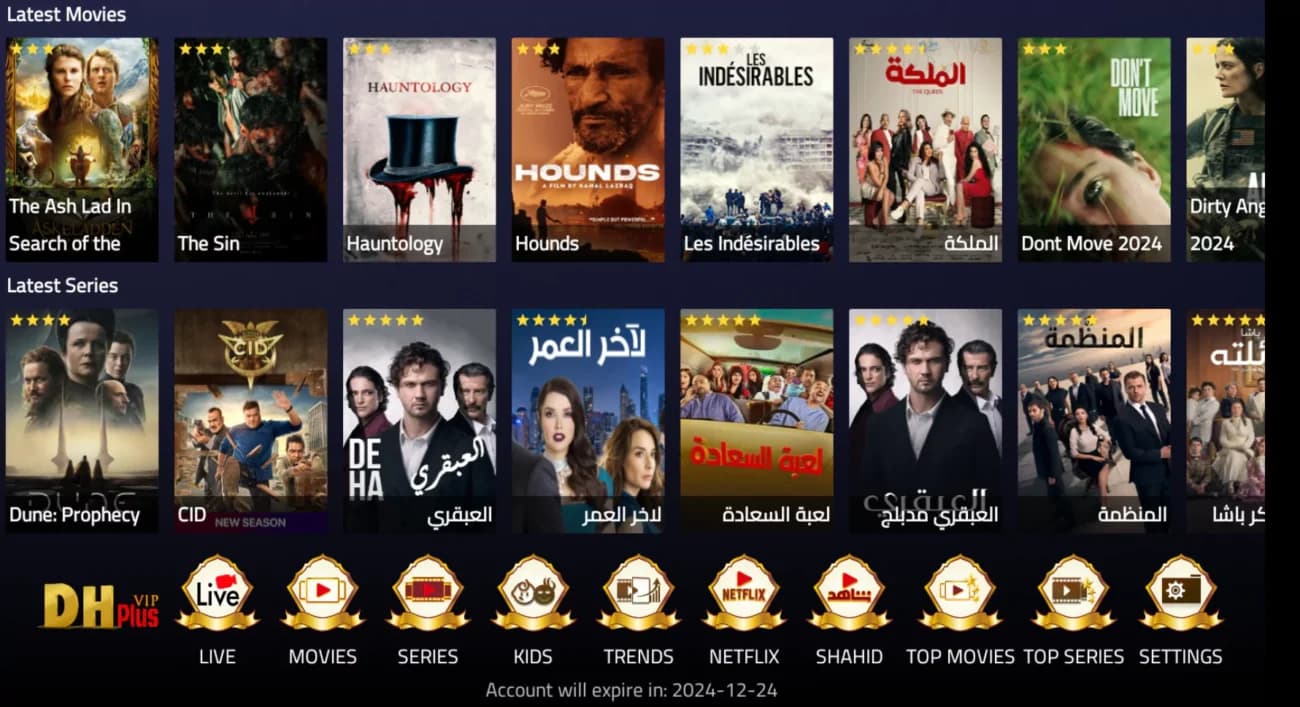
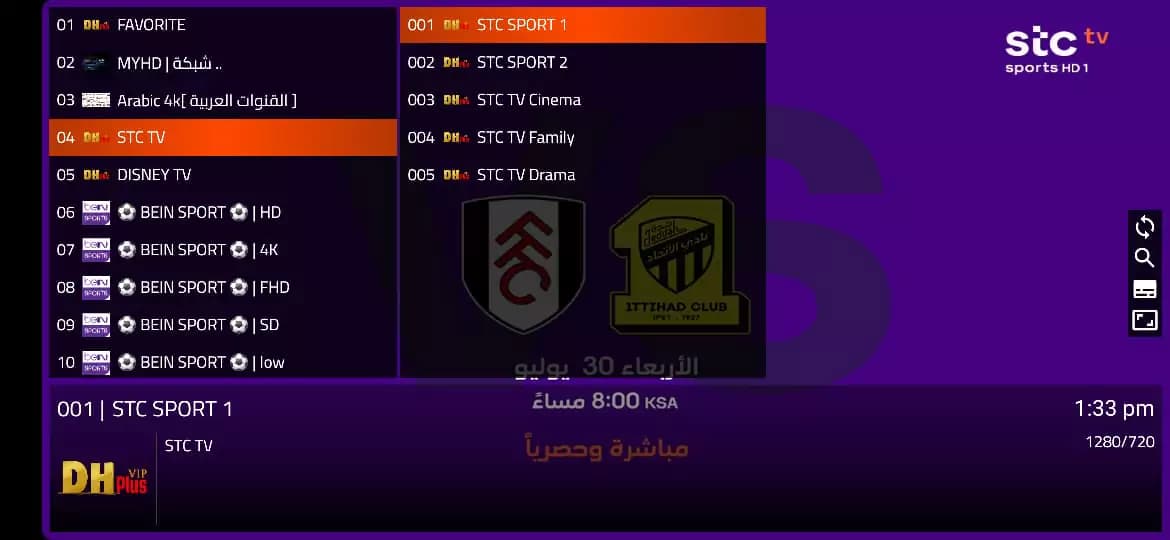
DH Plus VIPis a streaming service built for viewers who want live channels, movies, and series without a complicated setup process. It's designed to work across the devices people actually use every day — iPhone and iPad, Android phones and tablets, Amazon Fire TV Stick, and Samsung or LG Smart TVs — so switching devices doesn't mean starting over.
The service focuses on stable streaming quality and a straightforward activation process: install the right app for your device, enter your login details, and start watching. This guide walks through every supported device step by step, covers the Legend OTT server login that powers the iPhone and Smart TV apps, and includes a troubleshooting section for the most common setup issues.
Advertisement
How to Install DH Plus VIP on iPhone (iOS)
iPhone and iPad users install DH Plus VIP through VAR Player, available directly on the official Apple App Store. VAR Player is the app that connects to your Legend OTT server login and plays your channels, movies, and series on iOS.
Open the App Store on your iPhone or iPad, or use the official VAR Player link above, then tap Get to install it.
Open the app
Launch VAR Player once installation finishes. You'll be asked to choose a login method — select Portal Code or Xtream login.
Log in with your Legend OTT details
Enter the server number, a playlist name, and your username and password as explained below.
Logging Into Legend OTT on VAR Player
VAR Player connects to your subscription through the Legend OTT server. Here's what each login field means:
Server Number
3377
DNS / Host / URL field — the same number works for Oxynet TV and Legend OTT.
Playlist Name
Any Name
A label for your own reference — it doesn't affect your subscription.
Username
Your Username
The username provided with your DH Plus VIP / Legend OTT subscription.
Password
Your Password
The password provided with your subscription. Case-sensitive.
💡
Enter the server number, playlist name, username, and password exactly as provided. Once saved, VAR Player loads your playlist and you're ready to stream.
Install DH Plus VIP on Android
Android users have two ways to install DH Plus VIP: the DH VIP PRO app via the Downloader method, or a direct APK install. Both work on Android phones, tablets, and Android TV boxes.
Open the Downloader app on your Android device or Fire TV Stick, enter the code 5232048, and follow the on-screen prompts to install DH VIP PRO.
Option B: Direct APK install (Legend OTT)
On your Android device, open the APK link bit.ly/legendott or enter Downloader code 6427330, then allow installation from unknown sources if prompted.
Log in and start streaming
Open the installed app, choose Portal Code or Xtream login, and enter the same server number, username, and password as above.
Downloader Code (DH VIP PRO)
5232048
Downloader Code (Legend OTT APK)
6427330
Advertisement
DH Plus VIP on Amazon Fire TV Stick
Fire TV Stick uses the same Downloader method as Android. Downloader is a free app available on the Amazon App Store that lets you install DH Plus VIP directly using a numeric code, without needing to sideload an APK manually.
Install Downloader
From your Fire TV Stick home screen, search for “Downloader” in the Amazon App Store and install it.
Enter the code
Open Downloader, go to the address bar, and enter code 5232048 for DH VIP PRO, or 6427330 for the Legend OTT APK.
Install and allow permissions
Follow the on-screen prompts. If asked, allow installations from unknown sources — this is normal for Downloader installs.
Log in
Open the app from your Fire TV Stick apps list and log in using the same server number, username, and password as above.
✅
Best practice: keep Downloader installed after setup — it makes reinstalling or updating the app much faster if you ever reset your Fire TV Stick.
Legend OTT Setup: O Player on Samsung & LG Smart TV
Legend OTT customers can now use the O Playerapp directly on Samsung and LG Smart TVs, without needing a separate streaming box. Search for “O Player” on your TV's app store, install it, and follow the steps below to add your playlist.
Portal Code
33823749
Enter this exact code in the Portal Code field of O Player.
Name
Enter any name of your choice — this is just a label for your playlist.
Portal Code
Enter portal code 33823749.
Username
Enter your subscription username.
Password
Enter your subscription password.
Captcha
Complete the captcha verification shown on screen. Use Refresh Captcha if it's difficult to read.
Add Playlist
Double-check all fields are correct, then select Add Playlist to finish setup and start streaming.
⚠️
Make sure all information is correct before selecting Add Playlist — an incorrect portal code or password is the most common setup mistake.
Smart TV & Desktop Compatibility
DH Plus VIP and Legend OTT are built to work across the full range of devices people actually stream on:
Android TV & Google TV — install using the Downloader method described above.
Fire TV — fully supported via Downloader (see the Fire TV Stick section above).
Samsung & LG Smart TV — supported directly through the O Player app and Legend OTT portal code.
Windows & macOS — dedicated desktop apps are also available for Windows and Intel-based Mac computers. Contact support on WhatsApp for the current desktop download links.
Troubleshooting Common Issues
Wrong Username or Password
Re-enter both fields carefully — check for extra spaces and correct capitalization. Confirm your subscription is still active.
Server Unavailable
Confirm the server number 3377 (or portal code 33823749) is entered exactly, restart the app, and check your internet connection.
Playlist Not Loading
Refresh the playlist from the app's settings, and confirm your subscription hasn't expired.
Application Crashes
Close and reopen the app, restart your device, or reinstall the app if crashes continue.
Internet Issues
A stable Wi-Fi or Ethernet connection matters more than raw speed — move closer to your router if streaming is unstable.
Frequently Asked Questions
What is DH Plus VIP?
DH Plus VIP is a streaming service that provides live channels, movies, and series across iPhone, Android, Fire TV Stick, and Smart TV devices, built for a fast and stable setup process.
What is the Legend OTT server number?
The Legend OTT server number is 3377. The same number also works for Oxynet TV logins.
What app do I use on iPhone or iPad?
Use VAR Player, available on the official App Store. Search for it directly or use the official link in the iPhone setup section above.
What is the O Player portal code?
The O Player portal code for Legend OTT customers is 33823749.
Can I use O Player on my Samsung or LG TV?
Yes. O Player is now available on Samsung and LG Smart TVs. Search for “O Player” on your TV's app store, install it, and log in with the portal code 33823749.
What is the Downloader code for Android and Fire TV Stick?
The Downloader code for DH VIP PRO is 5232048. The Legend OTT APK Downloader code is 6427330.
Do I need to install the Downloader app first?
Only if you're using the Downloader method on Fire TV Stick or Android TV. If you're installing the APK directly on a phone, you can skip Downloader and use the APK link instead.
What should I enter as the Playlist Name?
Any name you choose. It's just a label to help you identify your playlist inside the app — it does not affect your subscription.
Where do I find my username and password?
Your username and password are the login details provided with your DH Plus VIP or Legend OTT subscription. Contact support via WhatsApp if you can't locate them.
Why does it say my username or password is wrong?
Double-check for extra spaces or incorrect capitalization — usernames and passwords are usually case-sensitive. If the issue continues, confirm your subscription is still active.
Why is the server unavailable?
This is usually a temporary connection issue. Confirm the server number (3377) is entered correctly, restart the app, and check your internet connection before trying again.
Why is my playlist not loading?
Refresh the playlist from the app's settings menu, confirm your subscription hasn't expired, and make sure your device has a stable internet connection.
The app keeps crashing. What should I do?
Close the app fully and reopen it, restart your device, and make sure you're running the latest version of the app. Reinstalling the app usually resolves persistent crashes.
Does DH Plus VIP work with a weak internet connection?
A stable connection is more important than raw speed. Wi-Fi issues are one of the most common causes of buffering — an Ethernet connection is more reliable when available.
How do I get help if none of this works?
Contact DH Plus VIP support directly on WhatsApp — the support team can help diagnose device-specific or account-specific issues.